
Web Tools for Mobile Gaming
Creating efficient, secure, and user-friendly tools that allow live-operations teams to safely create, set up and manage various mobile games.
Project Overview
Background: The Live Operations team of the company’s mobile games needed efficient and safe tools to operate and manage the games. Given the complexity of the games’ infrastructure, there were no suitable out-of-the-box solutions that met their needs, which is why my team was tasked to build their own, customized tools.
What was done: My responsibility was to design tools that ensure that our users could manage the games efficiently and securely, ultimately creating a better user experience.
To truly understand our users, continuous rounds of user research – including interviews, observations, and user shadowing, were conducted. This helped my team gain insights into our user’s workflows: Identify pain points, and understand their needs.
I proceeded to create personas, user journey maps, and various potential solutions, working closely with the backend and infrastructure teams to craft ideas that aligned with both user needs, the game’s infrastructure and our business goals. Throughout the process, we made sure to involve users regularly, gathering their feedback to refine and improve what we built.
Outcome and results: The solutions we’ve implemented focuses on creating simple, user-friendly forms, streamlining and merging systems, and removing workflow obstacles and “double work” to save the user’s time.
As a result, users are spending significantly less time on tasks, giving them more time to focus on other priorities. This has led to overall higher satisfaction and reduced frustration, and a smoother overall experience. Thanks to better validation systems, human errors and the risk of in-game errors has been greatly reduced.
PS: All pictures are only for illustration of concept and mockups. Due to confidentiality agreements, real screenshots cannot be disclosed.
Key Features
Introduced automatic data imports between systems: the need for users to manually copy and paste 100+ IDs, which was prone to human errors.
New nested segmentation features: allowing more advanced and fine tuned segmentation
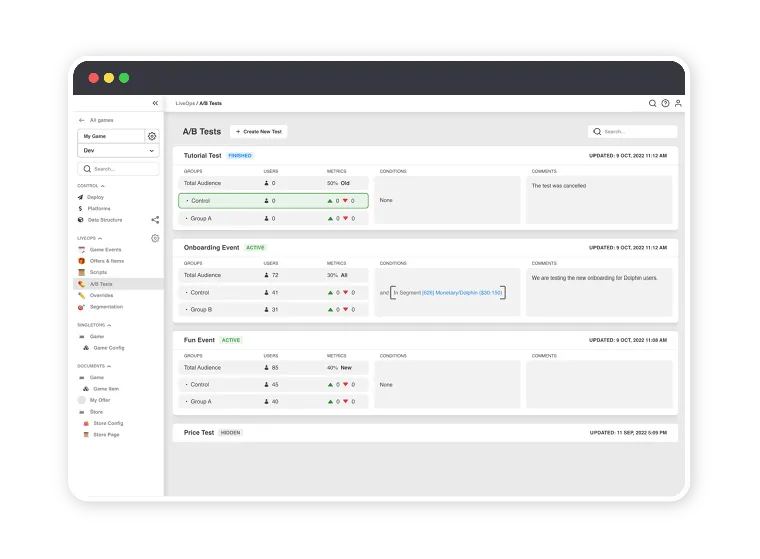
New A/B testing tools: for more rapid testing of new ideas.
Improved keyboard friendly UI: for all forms, allowing faster navigation.
Template-based forms: to allow user to reuse parts of previously created forms.
Specs
- Domain:
- Mobile Gaming
- Category:
- Internal tooling
- Tools:
- Figma
Challenges & Solutions
# Challenge: Complex infrastructure and risky manual work
The games’ infrastructure was complex and no out-of-the-box tools fit it, so live-operations teams relied on manual, repetitive steps, such as copying and pasting 100+ IDs between systems. In a live game, one small mistake could affect the players.
# Solution: Research-led design with built-in safeguards
Continuous user research (interviews, observations and shadowing), together with close work with the backend and infrastructure teams, helped us understand both the users’ workflows and the technical limits. We involved users regularly to refine the solutions. Better validation, automatic data imports and reusable template-based forms removed double work and reduced the risk of errors.